From a messy walkdown to a defensible IEC 62443 design, in about two minutes
The first thing you do in Synapse should produce a result, not a tutorial, a twelve-field signup, or a blank canvas. This is the onboarding flow, end to end.
Synapse Engineering
Every OT security project starts the same way: a spreadsheet. Someone runs a site walkdown, and now there is a tab with a few dozen rows: SCADA-PRIMARY, WTG-01-CTRL, an IP here, a VLAN there, a “Function” column that is half-filled. Turning that into a defensible zone-and-conduit architecture is normally days of Visio and judgement calls.
So we built onboarding around one promise: paste your walkdown, get a checked IEC 62443 design and a firewall rule schedule back. No account required to try it. This is the whole flow.
Step 0 · Open the studio
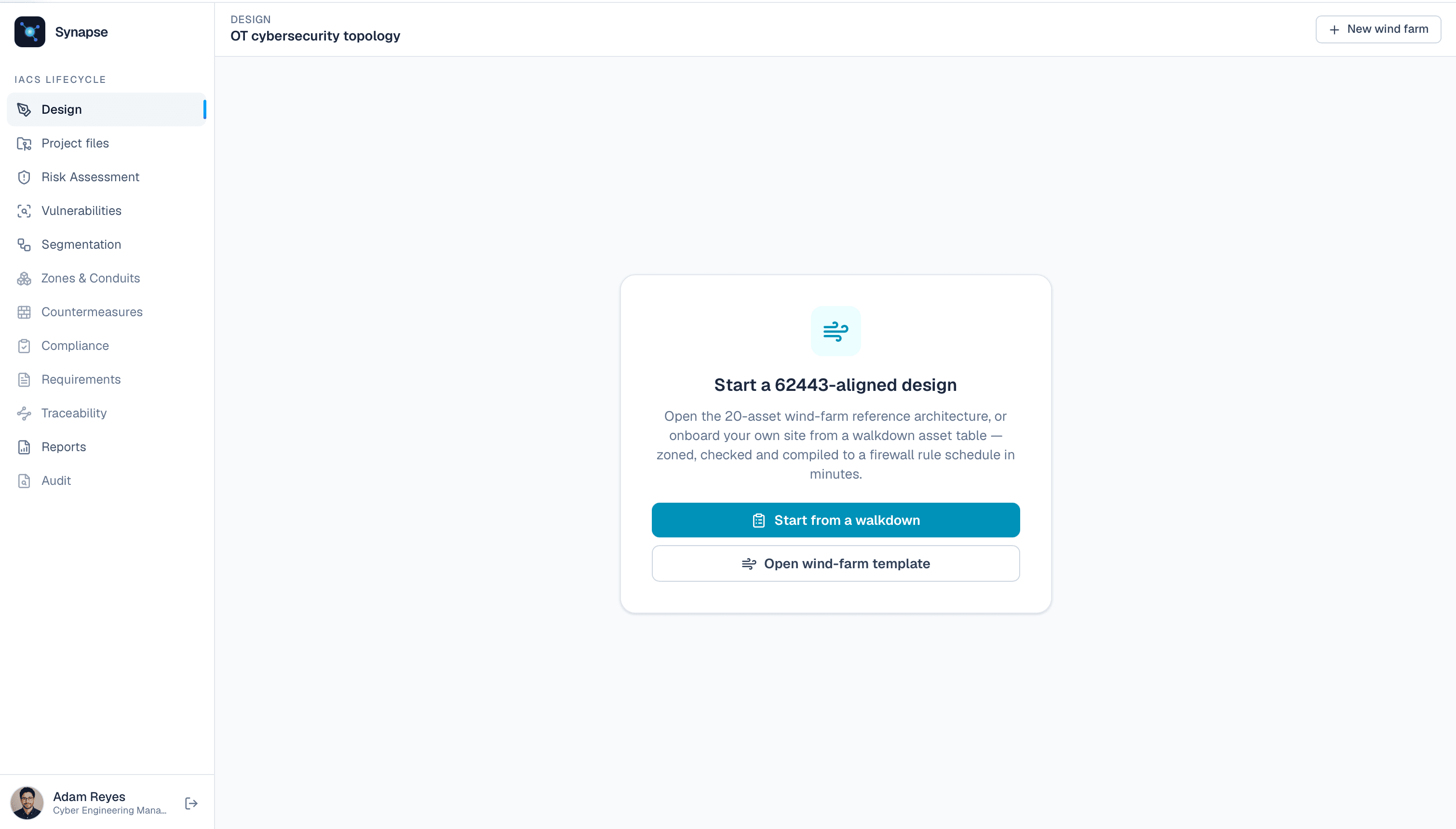
You arrive in the studio on the Voltara substation reference — it loads on its own, so the first thing you see is a checked design, not a signup wall. To model your own site instead, open New ▸ New site from a walkdown. Nothing to sign up for, the lowest possible barrier to the first result.
Step 1 · Drop in your asset table
Name the site, then provide the spreadsheet three ways: paste it, upload the CSV, or Load sample to see it work first. The sample matters: it removes the blank-page problem, so you see the output before committing your own data.
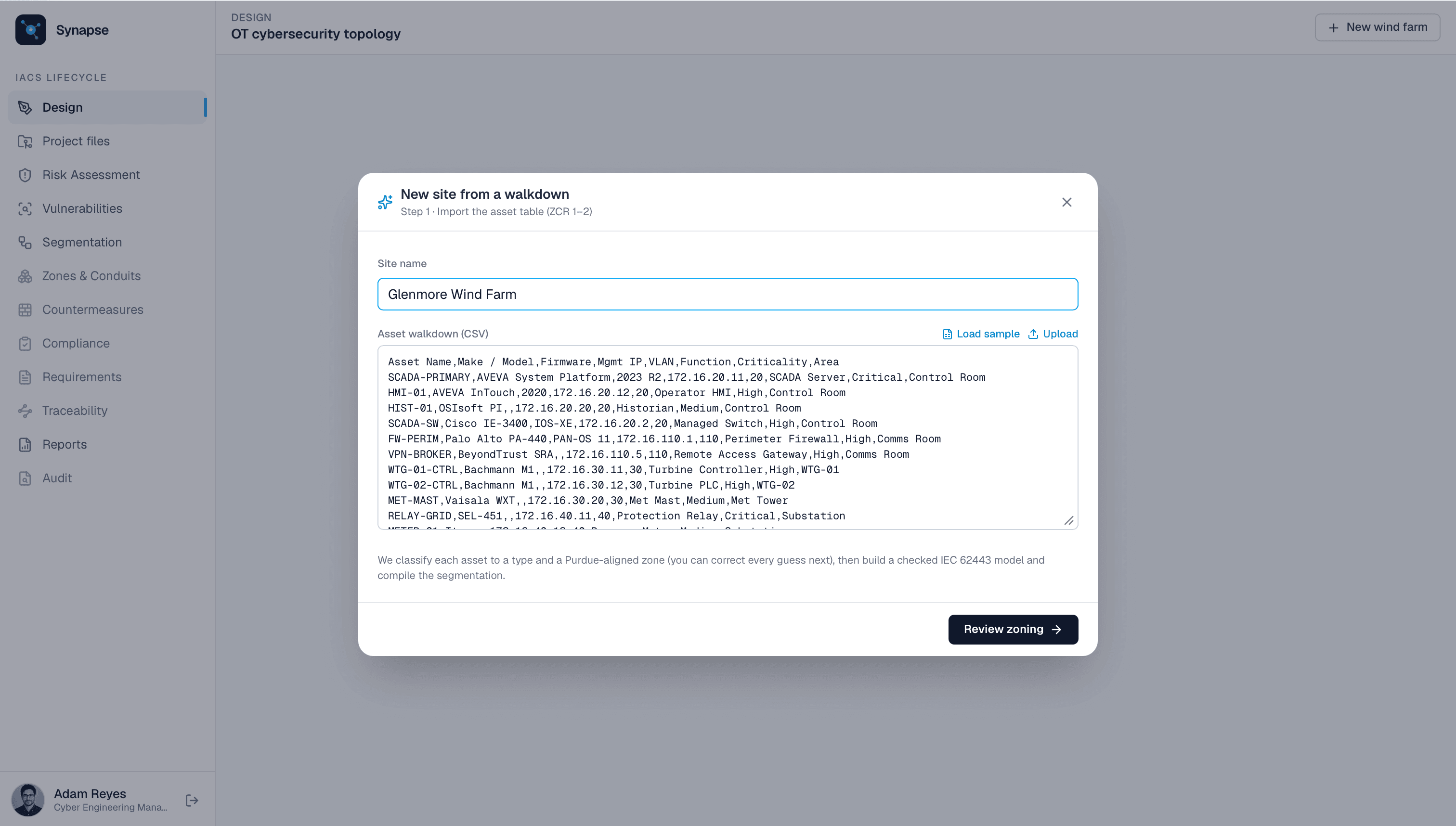
The sample is intentionally messy: odd headers (Make / Model, Mgmt IP, Function), mixed criticalities, vendor strings like Palo Alto PA-440 and SEL-451. Real walkdowns look like this.
Step 2 · We map your columns for you
You do not declare your schema. We fuzzy-match your headers to the fields we need (Mgmt IP → ip, Function → type, Make / Model → vendor), so a column called “Asset Name” and one called “Hostname” both resolve. Anything we get wrong, you fix in one click.
Step 3 · Review the zoning
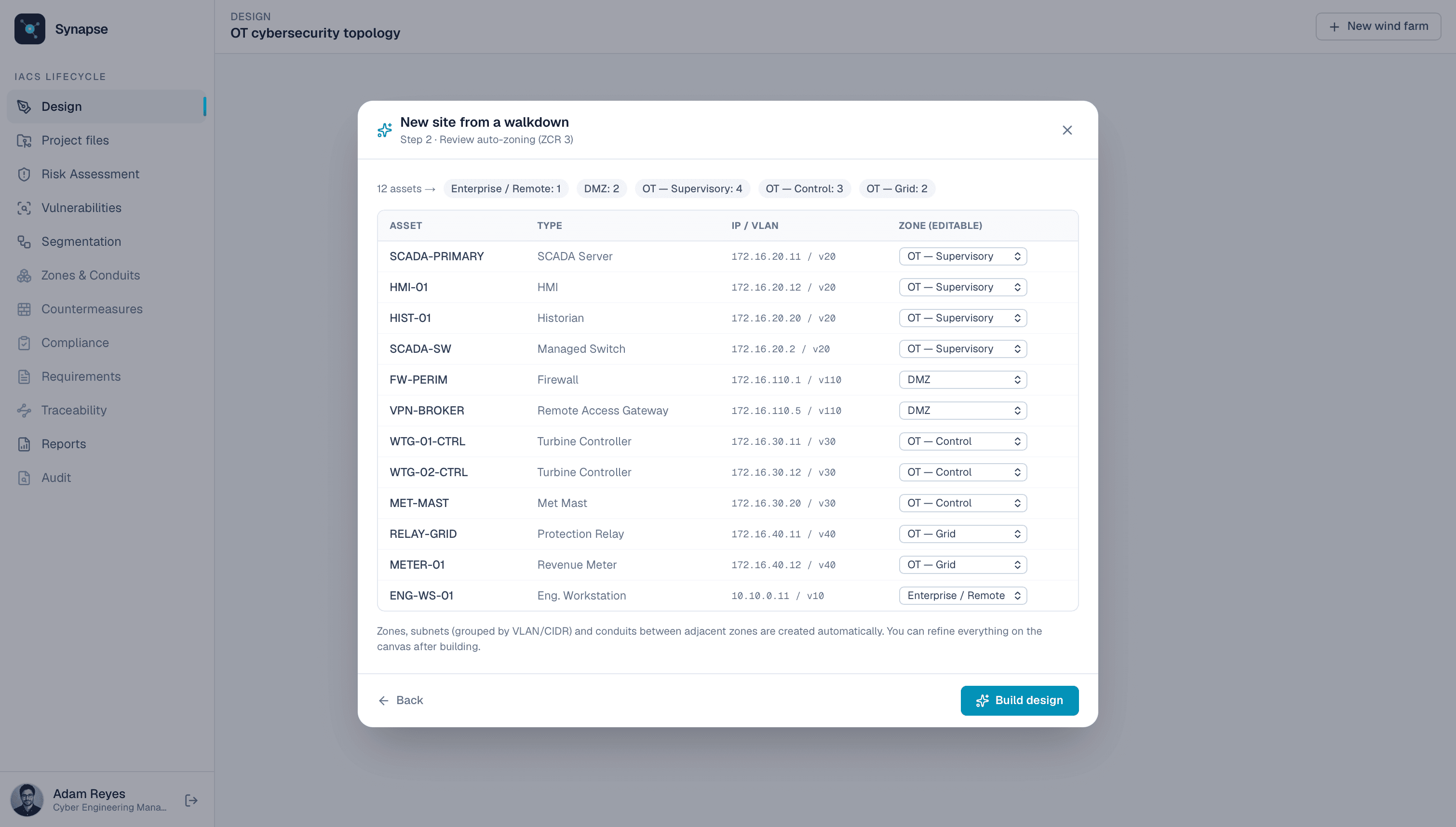
This is the part that normally takes a day. From each row we infer the asset type (SEL-451 → protection relay, Bachmann M1 → turbine controller, Palo Alto → firewall) and place it on the right Purdue level: Enterprise, DMZ, Site SCADA, Control, Grid. We seed criticality and infer a /24 from each host IP.
You get a table with a proposed zone per asset and an editable dropdown on every one. Defaults are sensible and fully overridable: one decision at a time, not a wall of forms.
Step 4 · Build
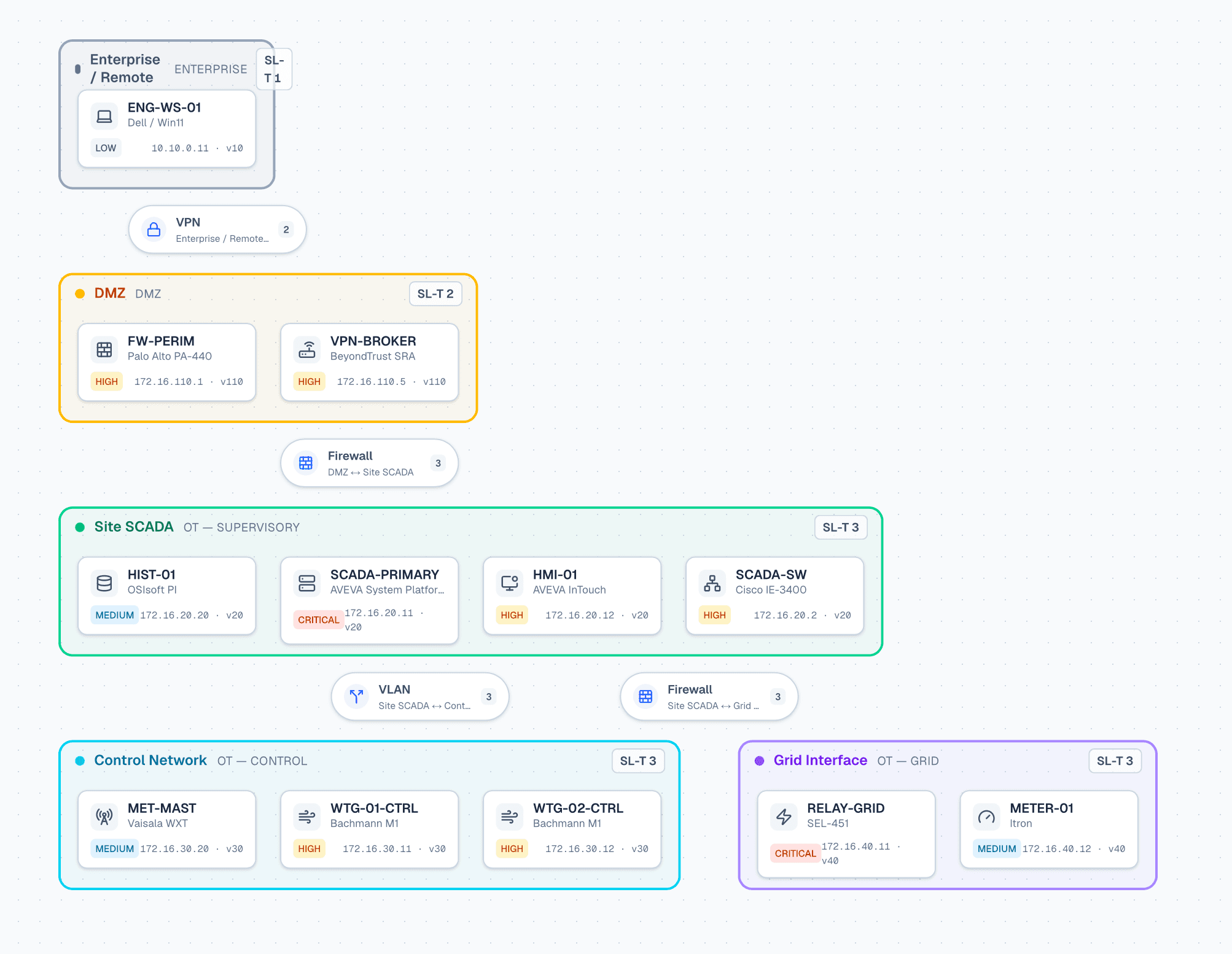
Hit Build design and Synapse composes the whole model: zones, VLAN-grouped subnets, NIC addressing, and conduits between them, with Site SCADA as the hub and Control and Grid as spokes, the way OT networks are typically wired. It auto-arranges the diagram and runs the IEC 62443 checks immediately.
Step 5 · The payoff
You land in the Segmentation view: your design, compiled into the artifacts you would otherwise build by hand:
- A firewall rule schedule: per-flow allow with an explicit default-deny (micro-segmentation).
- A VLAN / addressing plan: subnets, VLANs, gateways and host counts, exportable.
- One-click fixes: for any segmentation gap the checker finds.
Click any firewall and you get an NGFW-style security policy you can edit (source and destination zones, services, MFA and TLS toggles), with paste-ready Palo Alto and Cisco config generated alongside. Click any VLAN and you get an editable SVI/segment config.
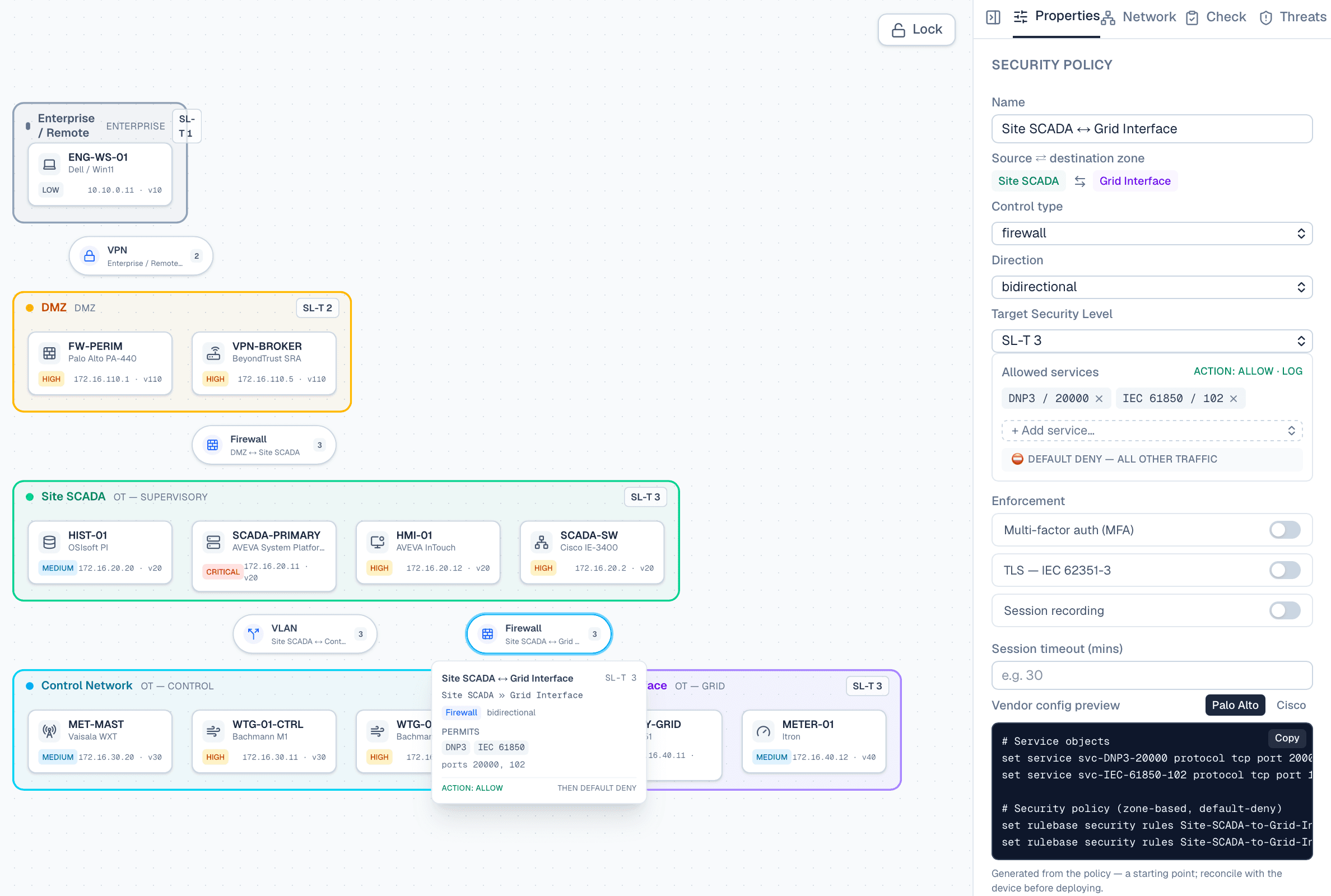
That is the loop: messy spreadsheet in → defensible, checked, enforceable design out.
Why it's shaped this way
This maps onto IEC 62443-3-2's ZCR process (identify the system, partition into zones and conduits, document the requirements), so it is not just fast, it follows the standard's own workflow. Every step is deterministic: the same walkdown always produces the same design.
The onboarding follows three rules:
- Value before commitment: the sample data means the first thing you see is the result, not a form.
- One decision per step: import → map → review → build; each screen asks for exactly one thing.
- Defaults you can override: the tool does the routine 80% (classification, zoning, addressing); you keep the judgement calls.
Try it on the sample walkdown
No signup, about two minutes, and you'll have a 62443 design and a firewall rule schedule in front of you.
Open the studio